Multi-factor Authentication
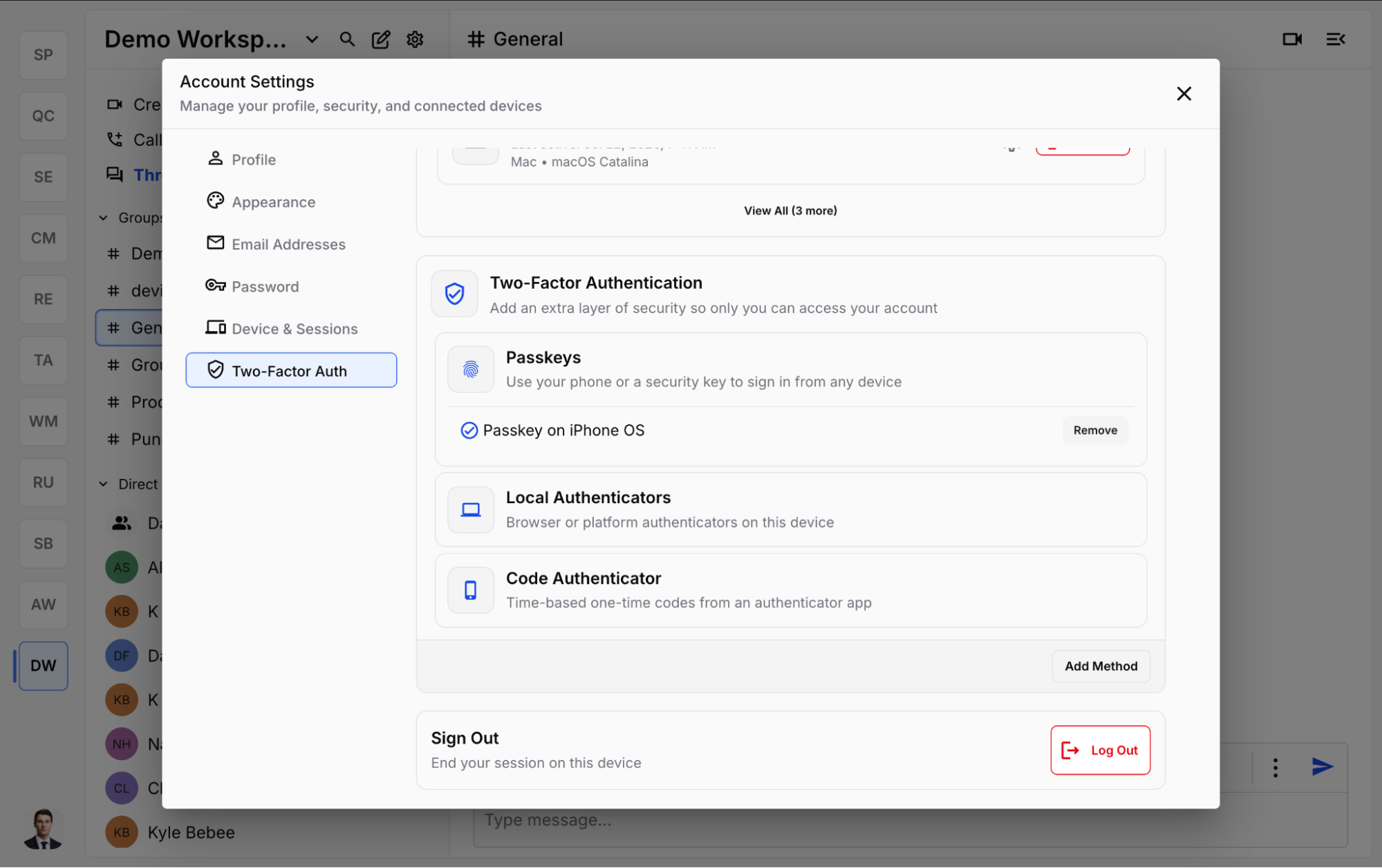
GLYPH supports multiple security measures to keep your account secure. You can choose from various methods, including portable security keys, local device authenticators, and code authenticators. GLYPH will ask you to set these up when you create your account, but you can always set them up later in Authentication and Settings.
- Web
- Mobile
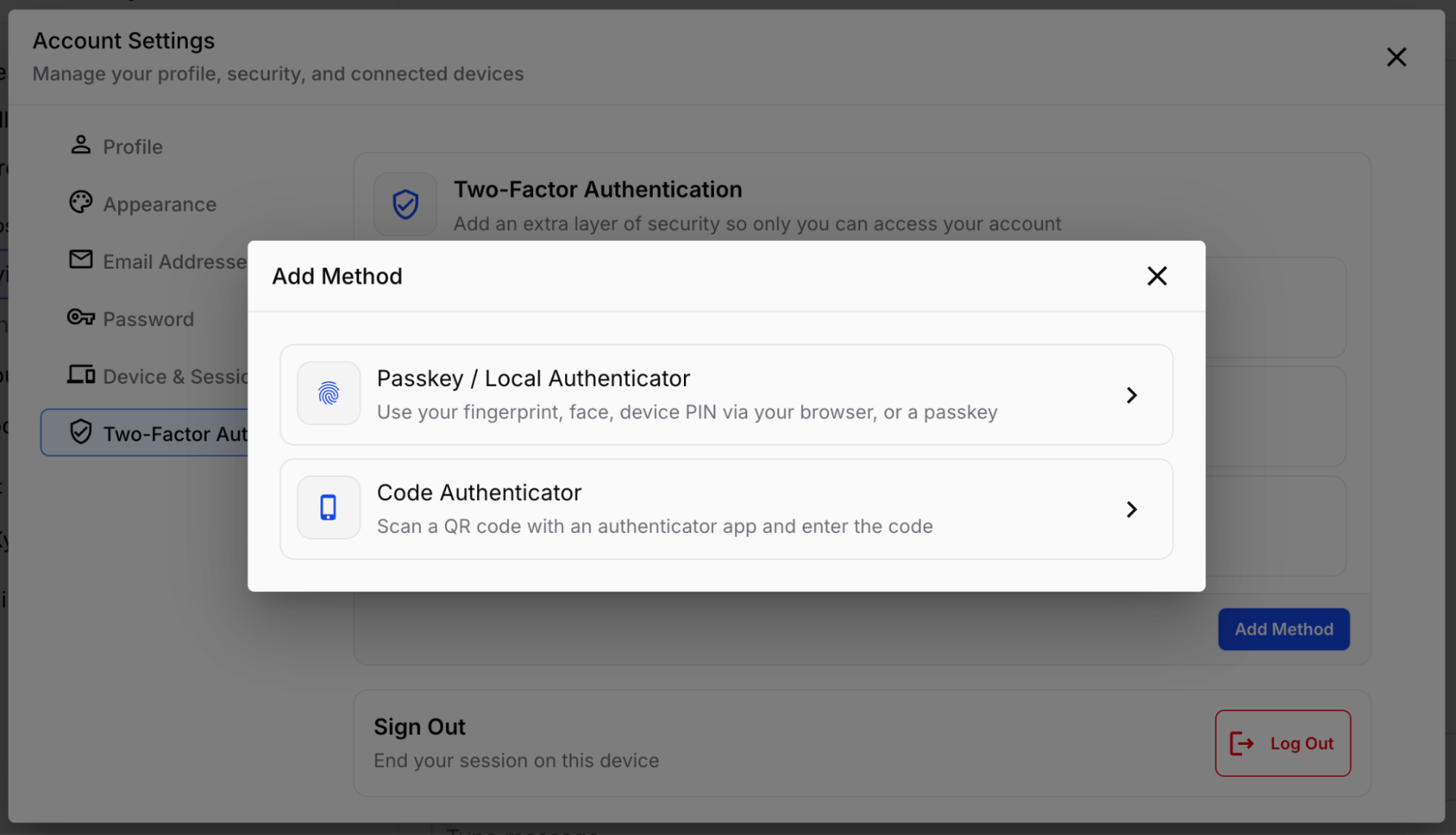
Portable Security Keys (Third Party Devices)
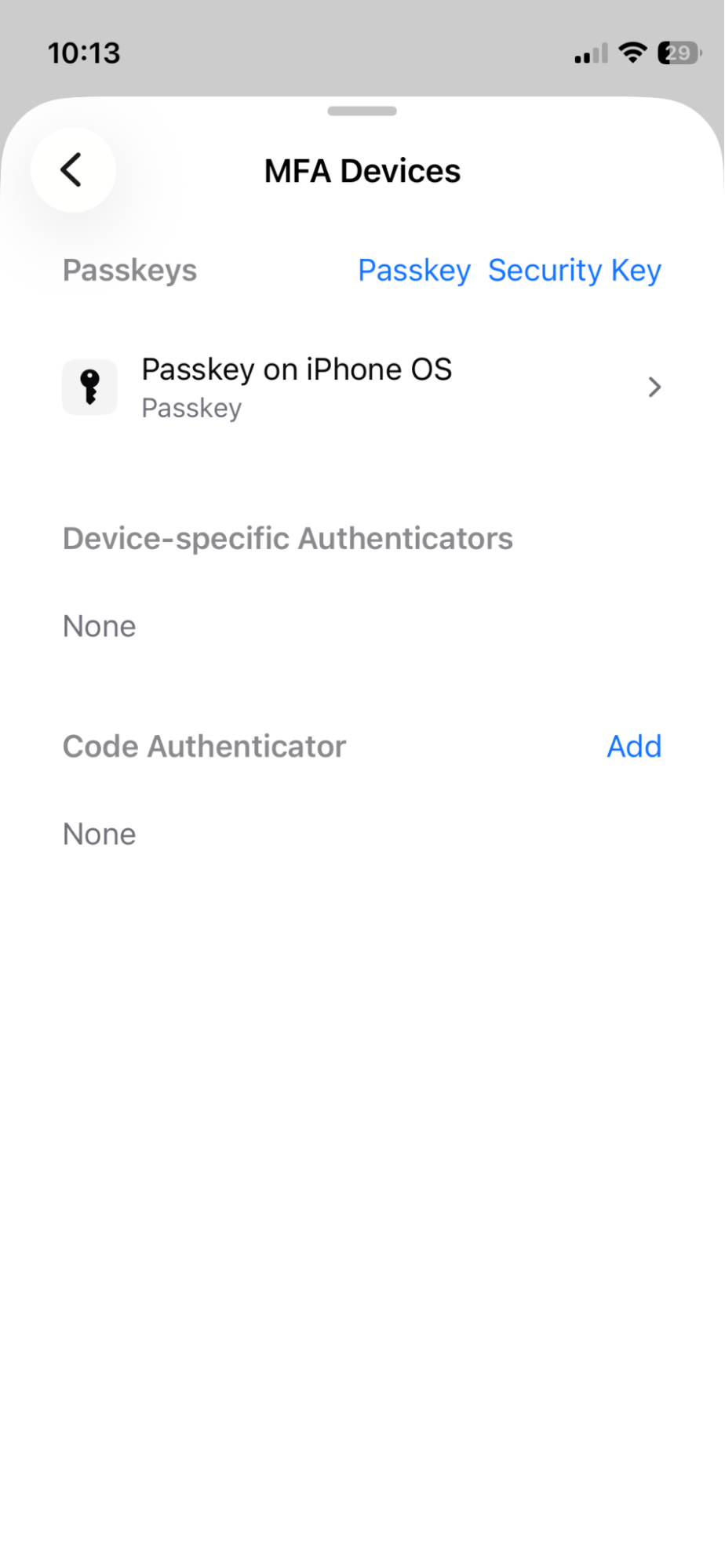
- Security keys can be set up in the iOS app under Account Profile > Preferences > MFA Devices > Security Key.
- To delete a device:
- Web
- Mobile
- Navigate to Account Settings > Two-Factor Authentication, select the device, and click Remove.
-
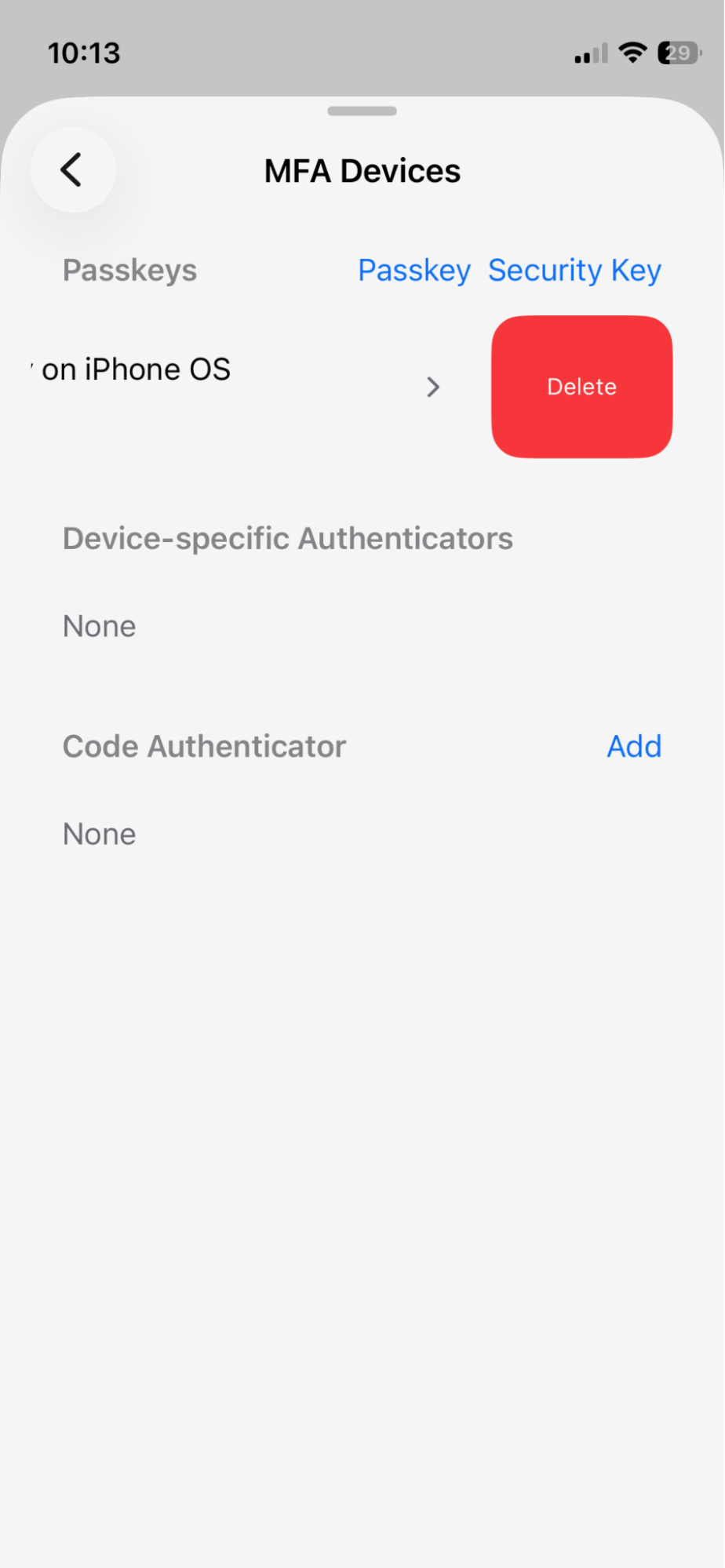
Go to Account Profile > Preferences > MFA Devices, then swipe left on the device and tap Delete.
Local Device Authenticators (Biometrics)
- Face ID or Touch ID can be enabled in the iOS app under Account Profile > Preferences > Enable Face ID.
- To delete a device:
- Web
- Mobile
- Navigate to Account Settings > Two-Factor Authentication, select the device, and click Remove.
- Go to Account Profile > Preferences > MFA Devices, then swipe left on the device and tap Delete.
Code Authenticators (OTP Apps)
- Works with Apple Passwords, Google Authenticator, Microsoft Authenticator, 1Password, Bitwarden, and other apps that support time-based verification codes.
- To delete a device:
- Web
- Mobile
- Navigate to Account Settings > Two-Factor Authentication, select the device, and click Remove.
- Go to Account Profile > Preferences > MFA Devices, then swipe left on the device and tap Delete.